Skip to the content
Peregrine KnowledgebasePeregrine Knowledgebase
  • Go to website
  • Go to website
  • Yelp
  • Facebook
  • Twitter
  • Instagram
  • Email

How can we help you?

Hester Pro

21
  • Theme Installation
  • Steps after Activating Hester Pro theme
  • Add widgets in sidebar or in Footer widget area
  • Enable front page sections
  • Home Sections
    • Slider Section
    • Info section
    • Service section
    • About section
    • Team section
    • Testimonial section
    • Pricing plan section
    • Call to Action section
    • Gallery section
    • Fun-facts section
    • Feature section
    • Steps to start section
    • Work history / timeline section
    • Workflow section
    • Clients section
    • Extra section
    • Design options

Bloglo Pro & BlogHash Pro common

2
  • Add social media profile links in header
  • Post Formats

ShopWell Pro

59
  • Download & Install ShopWell Addons Plugin
  • How to Install and Activate Required and Recommended Plugins
  • Import Demo
  • Configure Product Images in WooCommerce
  • 🔨 Product Archive Builder
  • 🛠️ Single Product Builder
  • How to change homepage products in the ShopWell free theme?
  • Customizer
    • General
    • Styling
    • Typography
    • Topbar
    • Header
      • Topbar
      • Campaign Bar
      • Header Layout
      • Header specific pages
      • Overriding the Header on Specific Pages
      • Header Builder
      • Sticky Header
      • Header Background
      • Header Elements
        • 🔍 Configuring the Header Search in ShopWell Theme
        • 👤 Account
        • ❤️ Wishlist
        • 🔄 Compare
        • 🛒 Cart
        • 📝 Custom Text
        • Preferences 🌍💱
        • View History
        • 📌 Primary Menu
        • 📌 Secondary Menu
        • 🗂️ Category Menu
        • 🍔 Hamburger Menu
      • Mega Menu
        • Mega Menu Vertical
        • 🍔 Mega Menu Hamburger
        • 🧩 Configure Mega Menu
        • Mega Menu Horizontal
    • Footer
      • Footer
      • Overriding the Footer on specific pages
  • Elementor
    • ⚙️ Elementor Basic Configuration Guide
    • Templates
    • 📢 Popup Builder
    • ShopWell Builder
    • Widgets
      • 🛍️ Product Deals Grid / Carousel
  • Pages
    • 📄 Creating a Page
    • ⚙️ Display Settings
  • Woocommerce
    • 🛒 Getting Started with WooCommerce
    • 📄 WooCommerce Pages
    • 🛒 Customize the Checkout Page
    • 📦 Create an Order Tracking Page
    • 👤 My Account Page Setup in WooCommerce
    • 🛍️ Catalog Mode
  • Shop
    • WishList & Compare
    • 💱 Currency Settings
    • 🛍️ Shop Display
    • 🧩 Product Filters
  • Mobile
    • Topbar
    • Header
    • Footer
    • Miscellaneous
  • Translation
    • Quick Start Guide: TranslatePress

Blogsy Lite

2
  • Installation and Demo Import
  • Customizer : General Options
    • General
  • Home
  • Docs
  • General
View Categories

General

Navigate to Customizer → General to access below sections.
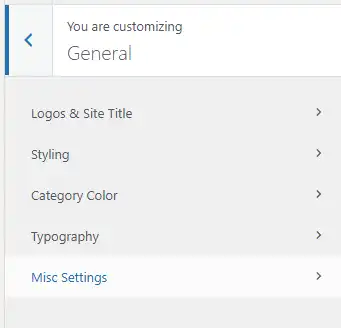
Logos & Site Title #

Users can upload various logos for their site, including:

  • Regular Logo
  • Dark Mode Logo
  • Retina Logo
  • Dark Mode Retina Logo

Additionally, users can set the logo margin, choose to display the tagline, and customize the logo title typography, including font family and color.

Styling #

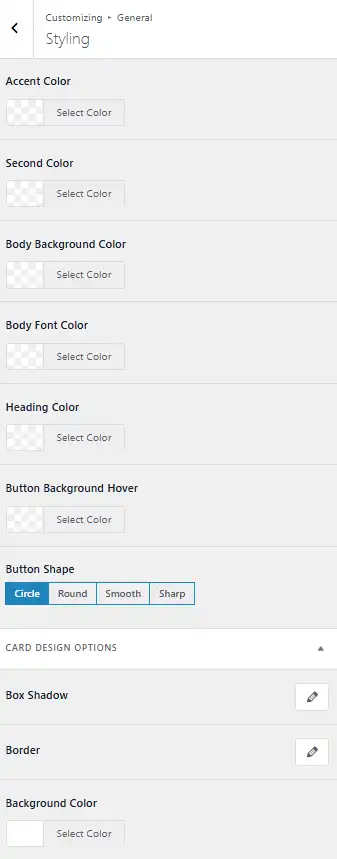
In this section, users can change the global theme colors for the following elements:

  • Accent Color
  • Secondary Color
  • Heading Color
  • Button Color
  • Button Background Hover Color
  • Body Background Color
  • Body Font Color

Users can also select button shapes such as:

  • Rounded
  • Smooth
  • Sharp
  • Circle

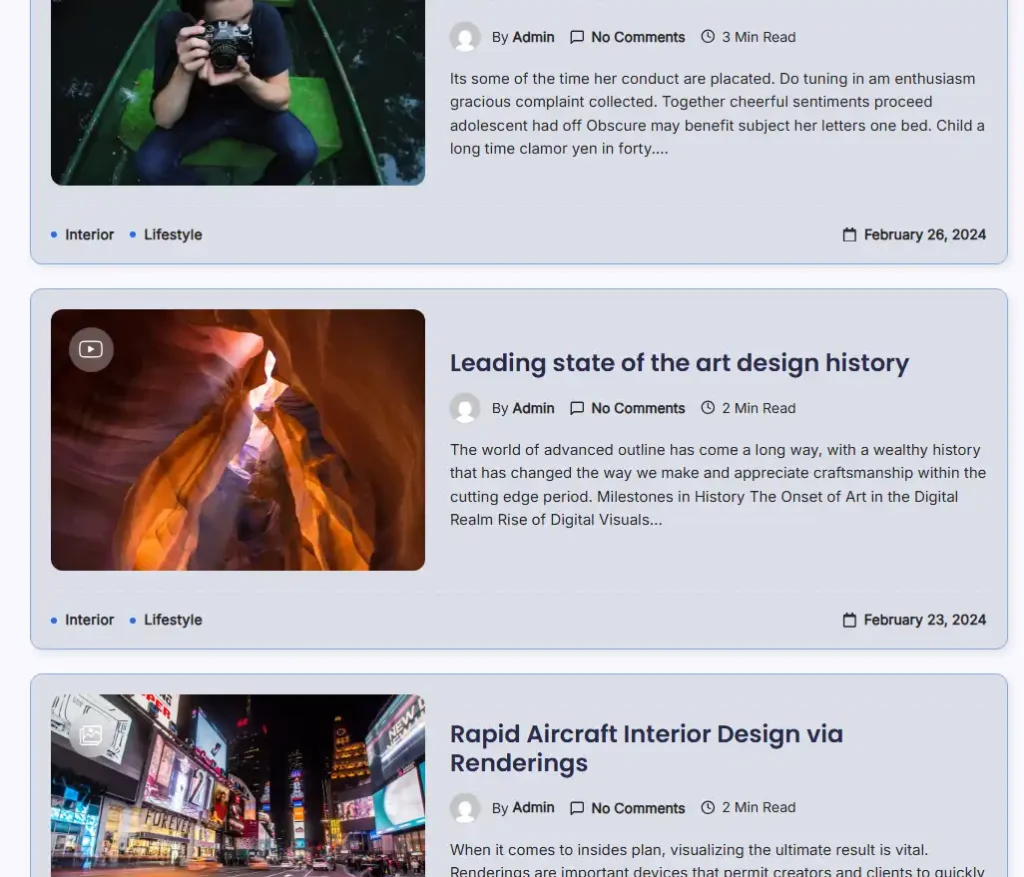
For card designs, users can choose the background color, border style, and set the card box shadow using a box shadow picker. Sidebar card settings can be overridden from the Sidebar Customizer section.
Category Color #

Users have the ability to set custom colors for each category. This feature allows for enhanced visual distinction between different content areas.

Typography #

This section allows users to customize the typography throughout their site, including:

  • Body Text
  • Headings (h1-h6)
  • Primary Menu
  • Single Post Title/Content
  • Terms/Category Typography
  • Widget Title Styles (Default, Style 1, Style 2)

Misc Settings #

The Misc Settings section includes options for:

  • Sticky Sidebar: Keep the sidebar visible while scrolling
  • Site Preloader: Show a preloader animation while the site loads
  • Smooth Scroll: Enable smooth scrolling navigation
  • Full Size GIF Images: Support for high-resolution animated GIFs
  • Cursor Effect: Add unique cursor effects for a dynamic user experience

All of these features can be accessed within the General panel of the Customizer.

Table of Contents
  • Logos & Site Title
  • Styling
  • Category Color
  • Typography
  • Misc Settings

© 2025 Peregrine Knowledgebase

Powered by WordPress

To the top ↑ Up ↑